Smart Tasks That Actually Get Done
Never lose a task in chat messages. Assign childcare tasks, household chores, and babysitting requests with photos, priorities, and automatic completion tracking.
Type a sentence into a new task and the app fills in the fields; nothing is created until you confirm. More: Ask or add something
Organized by Date
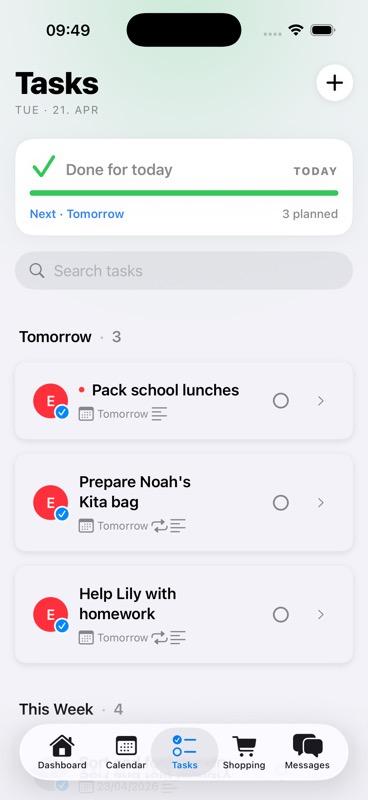
See exactly what needs to be done today, tomorrow, and beyond. Tasks are automatically organized by their due dates:
- Today's tasks: See all tasks due today at a glance with task count badges
- Tomorrow's tasks: Plan ahead with visibility into upcoming tasks
- Assigned to the right person: Each task clearly shows who it's assigned to with color-coded badges
- Quick search: Find any task instantly with the built-in search bar
- Visual completion: Check off tasks as they're completed with a simple tap
- Several at once: Parents tap Select, pick several tasks and complete, reassign or delete them together
Create Tasks in Seconds
1. Describe what needs to be done
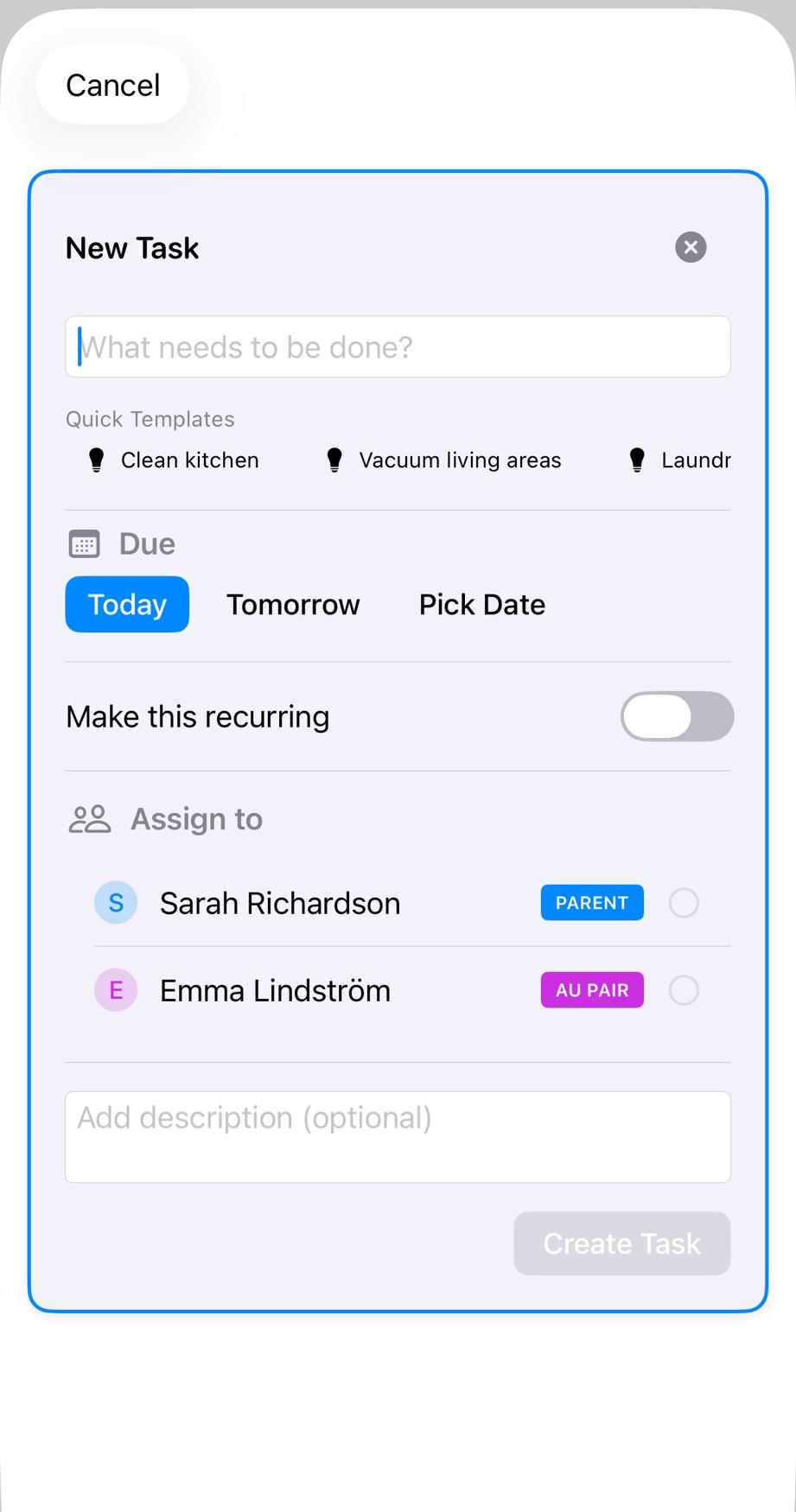
Type in what needs to be done, or use Quick Templates for common tasks like "Laundry" to save time.
2. Select due date
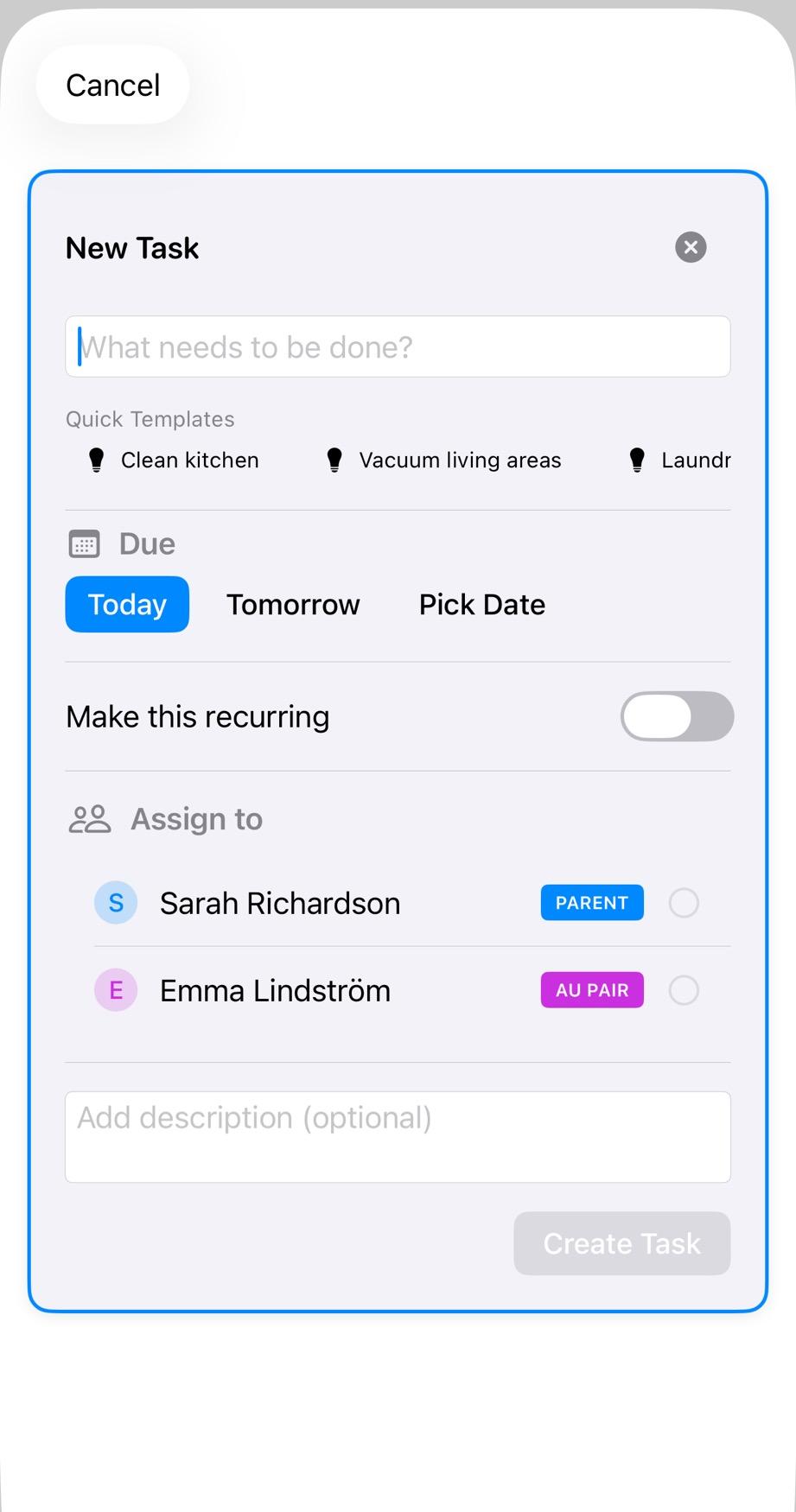
Choose when the task needs to be completed: Today, Tomorrow, or pick a specific date. Tasks automatically appear in the right day's list.
3. Assign to your au pair
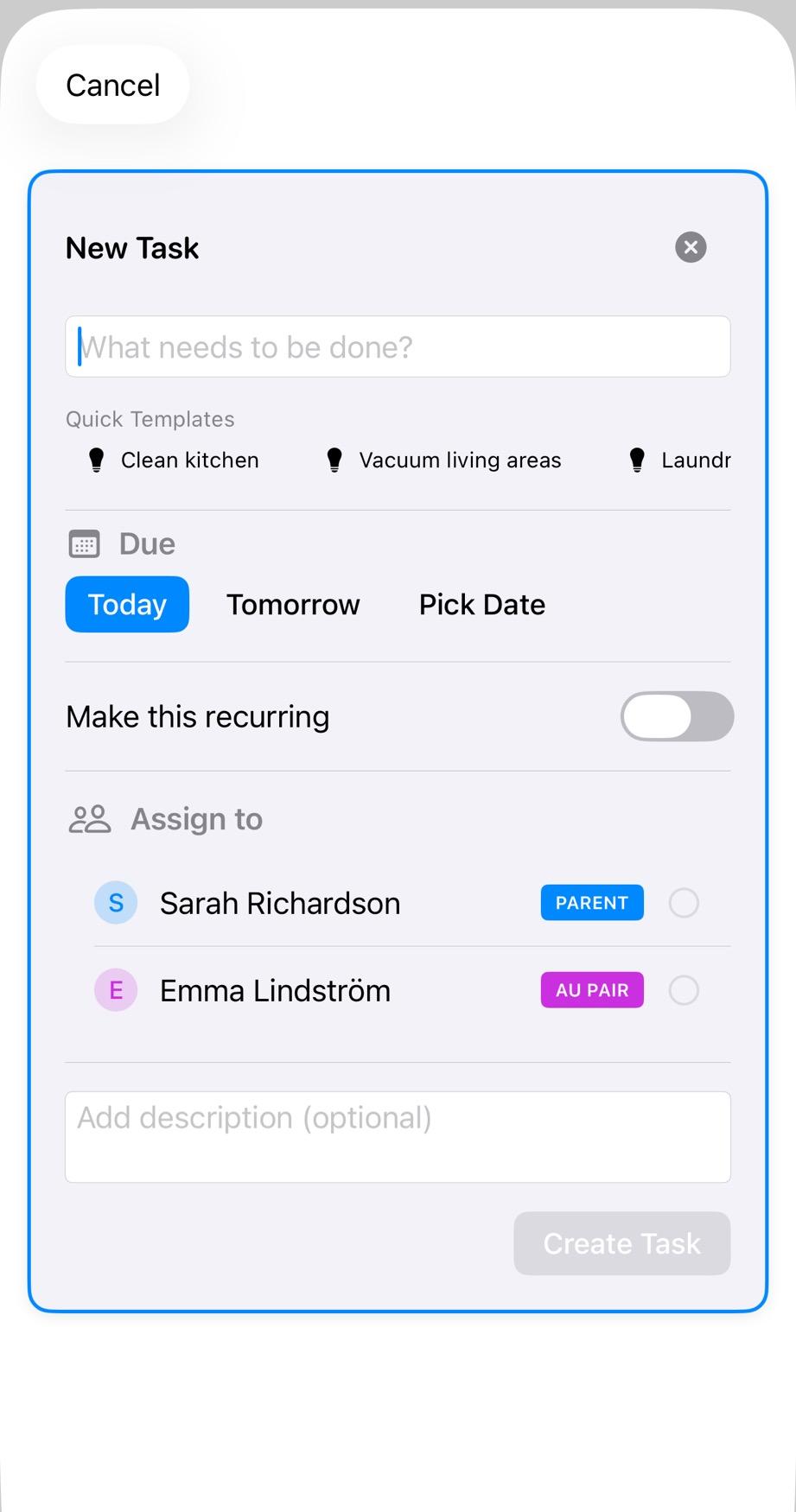
Select who should complete the task. You can assign to your au pair, any parent, or make it recurring for daily/weekly tasks. They'll get a notification and can start right away. Parents can also ask for an answer: the assignee then accepts or declines the chore from its details, with an optional reason. A declined chore stays assigned and open, and the assignee has to accept before the chore can be ticked off.
💡 Quick Templates save time — create common tasks like laundry, cleaning, or pickup with just one tap
Pause Recurring Chores for a Break
Going away for a few days? A parent can pause recurring chores for a household break. Choose the chores and the first and last day, and the app shows which occurrences will be skipped before you confirm. Each chore picks up again by itself on its next scheduled date, and skipped occurrences are not made up afterwards. A pause can be changed or ended early, and completed chores stay in the history.
This covers daily and weekly recurring chores. One-off tasks, shopping lists and babysitting requests are not affected.
Babysitting Requests Made Easy
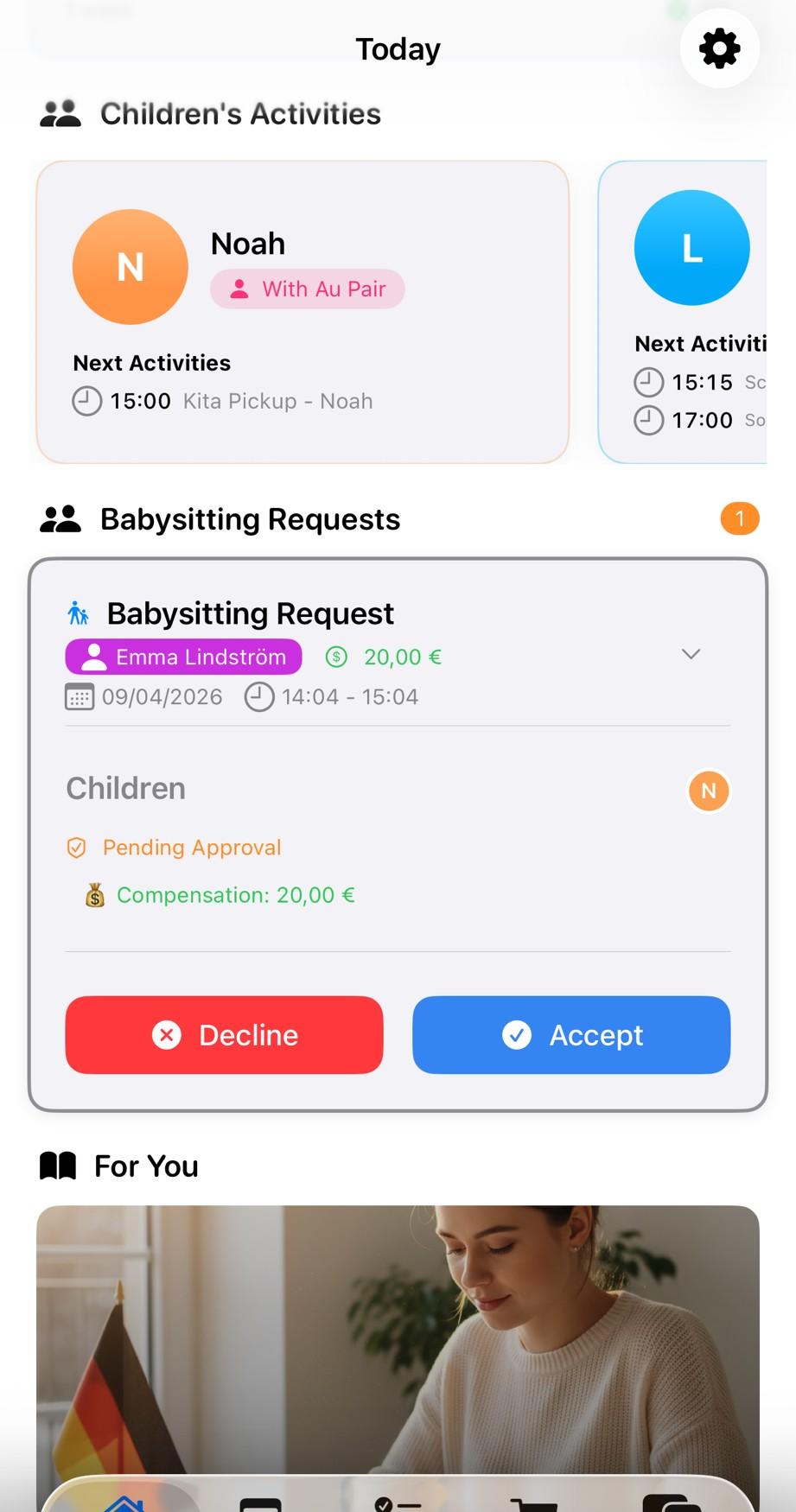
Request babysitting outside regular hours with a simple, streamlined workflow:
- Create request: Pick the date, time range and instructions. With two or more au pairs, send it to one of them or to any au pair
- Au pair accepts or declines: One tap either way, and saying no needs no reason. If the request went to any au pair, the first to accept takes it
- Automatic calendar integration: Accepted requests appear in shared calendar
- Separate hour tracking: Babysitting hours tracked separately from regular schedule
Never Wonder What's Done
Stay informed with automatic completion tracking:
- Completion notifications: Get notified when tasks are marked complete
- Completed tasks history: View all completed tasks with timestamps
- Task statistics: See progress and completion rates at a glance
- No need to ask: Know exactly what's been done without checking in
Why Families Love Smart Tasks
Never lose a task in chat
Tasks stay in one place, always accessible. No more scrolling through WhatsApp to find what you asked for yesterday.
Quick templates save time
Create common tasks like laundry, cleaning, or meal prep with just one tap using Quick Templates.
Track completion automatically
Know what's done without asking. Get notified when tasks are completed and view history anytime.
Unlike WhatsApp or Sticky Notes
With AuPairSync
- Tasks never get lost in chat history
- Quick Templates for common tasks
- Track completion automatically
WhatsApp & Sticky Notes
- Messages scroll away and get forgotten
- Sticky notes get lost, no photos, no tracking
- Have to constantly ask "Did you do X?"
Learn More About Tasks
First Week with Your Au Pair
Essential tasks to assign during the first week to set up your au pair for success.
Read More →20 Essential Tasks to Assign
A curated list of the most common and useful tasks families assign to their au pairs.
Read More →Babysitting Requests Guide
Learn how to request and manage babysitting outside regular hours with your au pair.
Read More →Explore Related Features
Ready to stop losing tasks in chat?
Join families already managing tasks better with AuPairSync.
Why families trust AuPairSync
- We comply with the GDPR.
- We do not sell, rent or share personal data for third-party marketing, and we do not use Google Analytics for advertising.
- Family data is stored with Firebase (Google Cloud). Transfers to the US rely on the EU-US Data Privacy Framework (Google Cloud), Standard Contractual Clauses and data processing agreements with our vendors.
- Data travels encrypted (HTTPS/TLS), access is restricted with Firebase Security Rules, and you can sign in with Apple or Google.
- You can delete your account yourself in the app, or ask us by email; we process requests within 30 days.
- Available on iPhone (App Store) and Android (Google Play).
- The app comes in 7 languages: English, German, Spanish, French, Dutch, Portuguese (Brazil) and Chinese (Simplified).
- Free for 30 days, then €4.99 a month for the whole family Au pairs never pay: the host family's subscription covers them.