Babysitting Requests & Medical Information
How AuPairSync handles extra hours and emergency medical access
Part 1: Requesting Babysitting Outside Regular Hours
The Scenario
You're planning: A date night, evening event, or weekend outing
The old problem: Awkward WhatsApp negotiations about extra hours, no agreement on how those hours are made up, and mixed personal/business conversations
The Old Way: WhatsApp Chaos

Awkward negotiations: unclear requests, discussions about hours mixed with personal chat, mismatched expectations
The AuPairSync Way: Clear & Fair Process
Create Babysitting Request Task
Create a task with date, time, duration, and special instructions (e.g., "Date night: 6 PM - 11 PM Saturday, dinner in fridge")
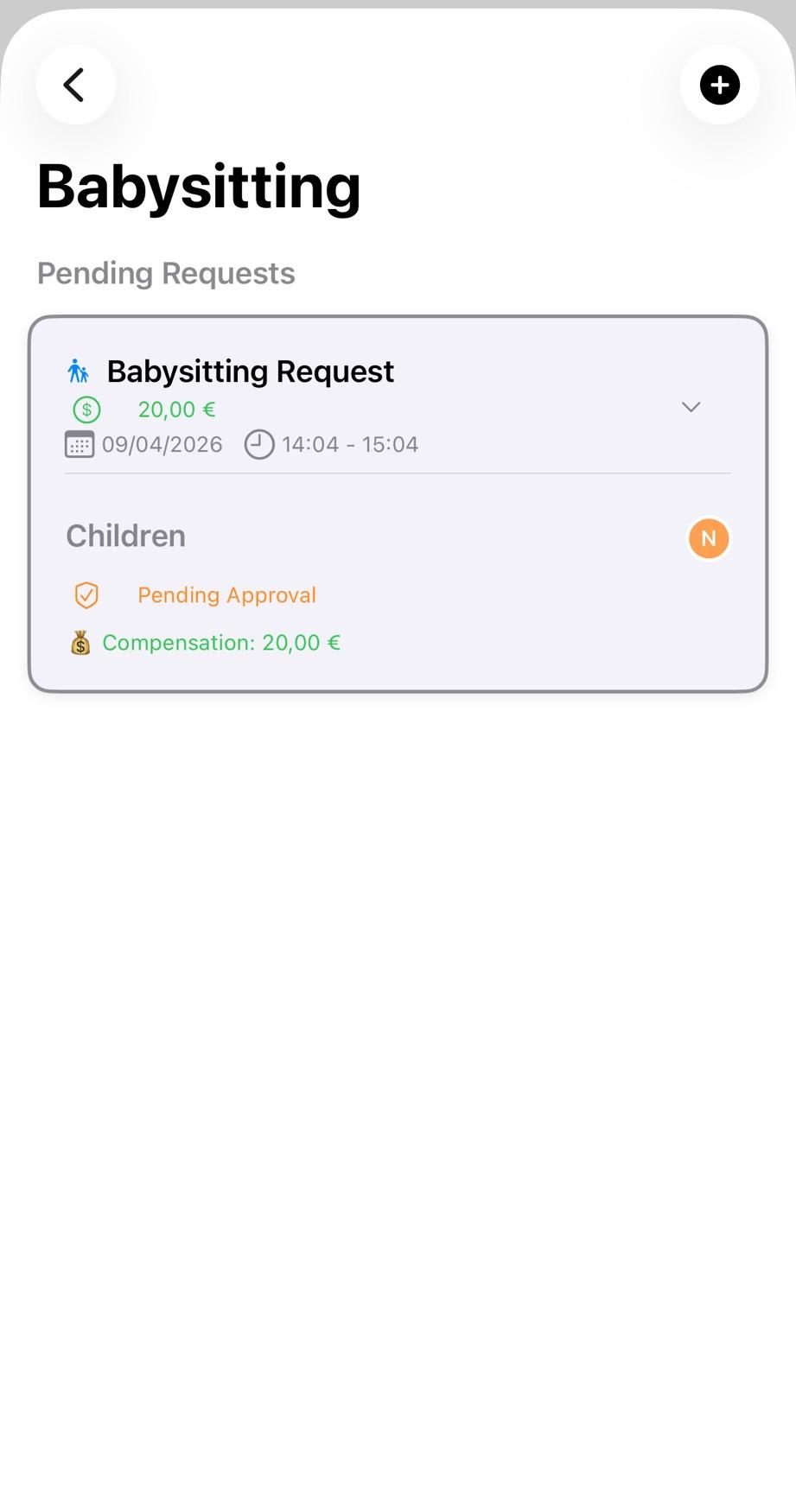
Clear request form with all details in one place
Au Pair Receives Notification
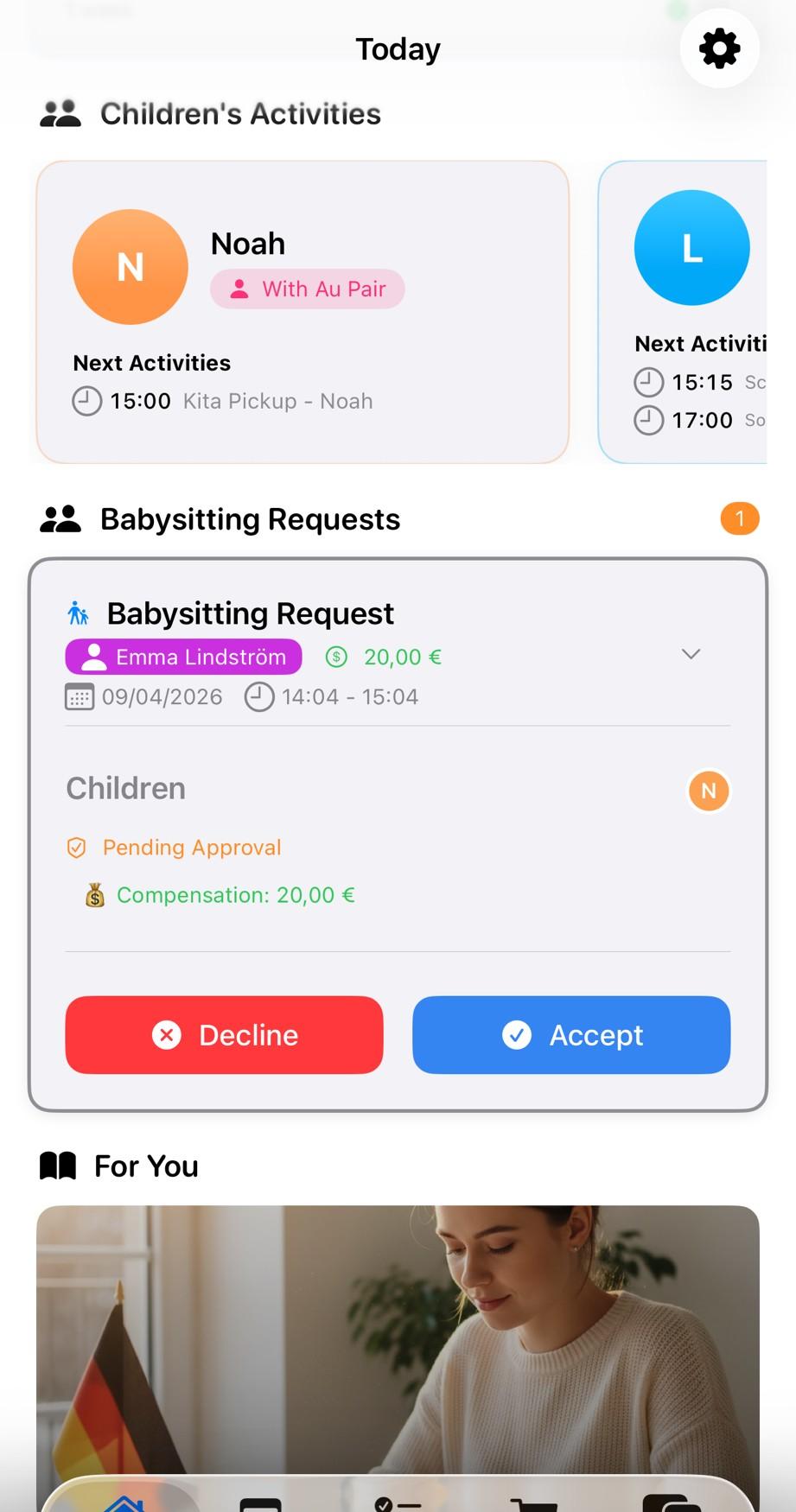
Accept or decline from the request card, without pressure
Your au pair gets a notification and can answer right away, with Accept and Decline on the request card - no awkward conversations needed. With two or more au pairs you can send it to any au pair instead: all of them get it, and whoever accepts first takes it
Accept, or Decline Without Explaining
Au pair can accept immediately or decline without giving a reason. A short note (e.g., "Already meeting a friend on that night") is optional. If the request went to any au pair, one decline does not close it: it stays open for the others until all of them have said no. Every detail is on the card upfront, including an optional amount if you have agreed one
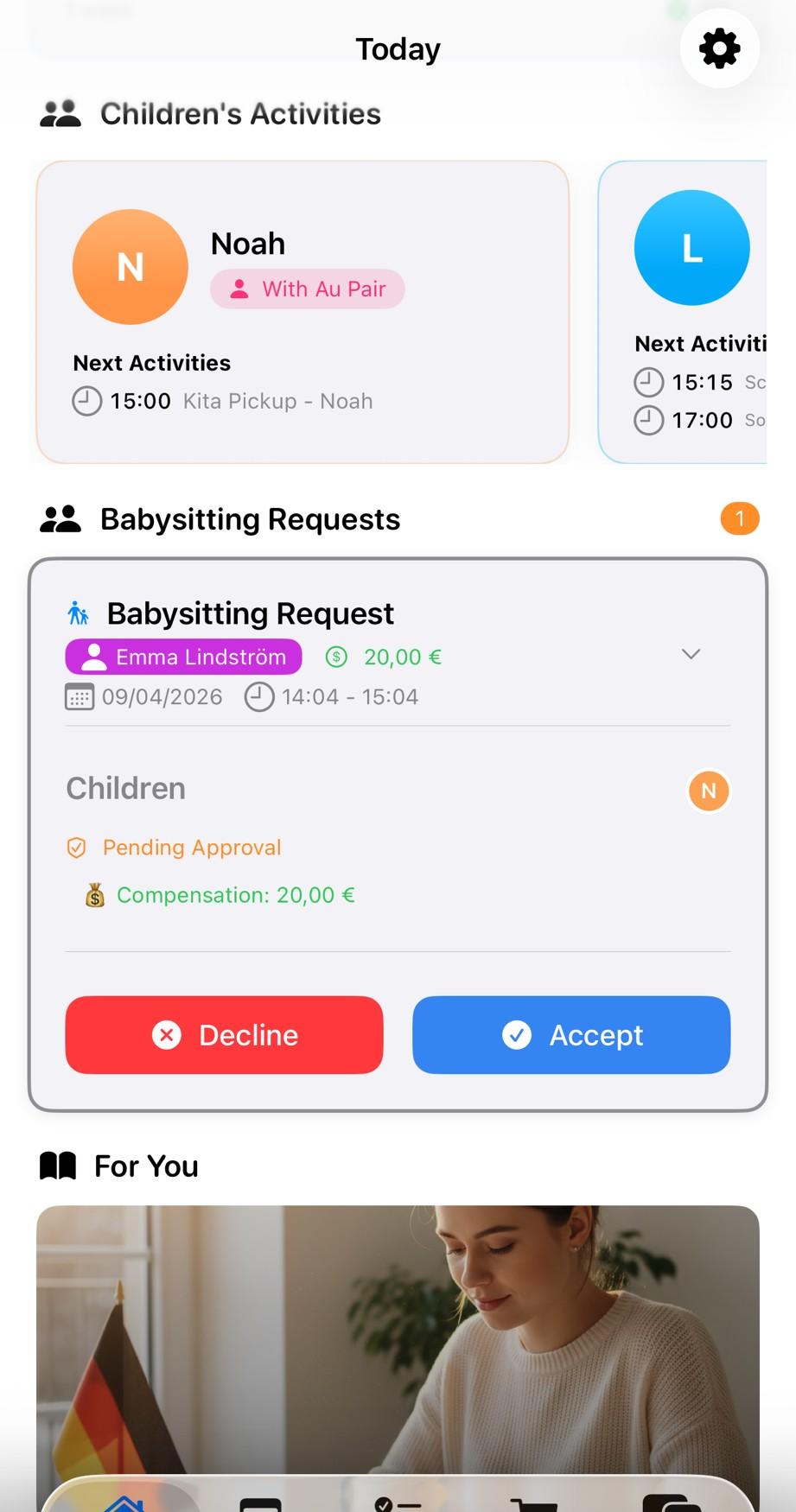
Clear accept/decline options with every detail upfront
Automatically Added to Calendars
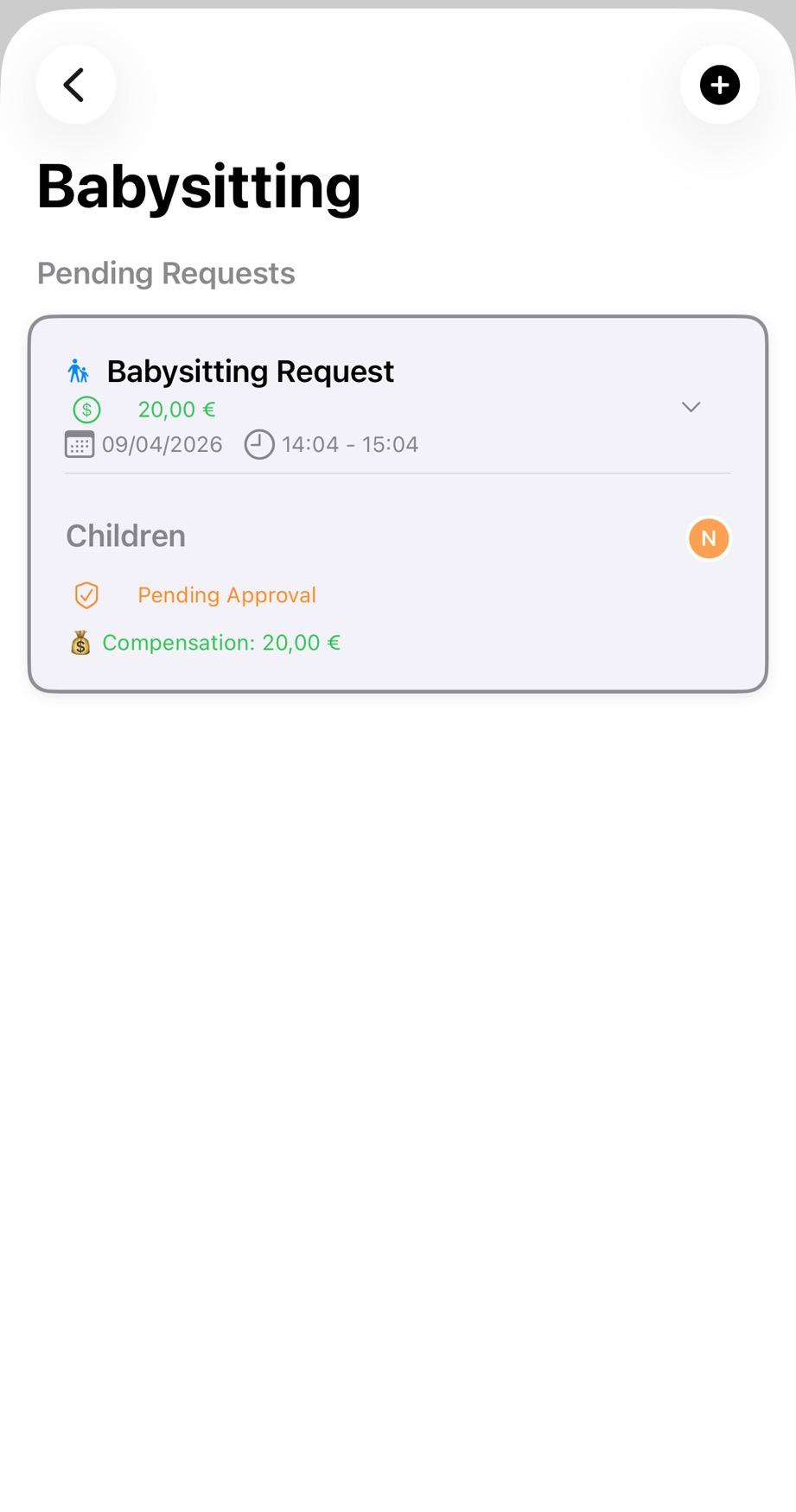
Seamless calendar integration for both parties
Once accepted, the babysitting event appears in both your and your au pair's shared calendars automatically
Hours in View
Babysitting requests sit in their own list, separate from regular tasks. Your au pair submits their working week in the app, and you both see how many hours are over your agreement. In Germany that is the time off you still owe: more than 30 hours only with advance agreement, made up with time off, not money
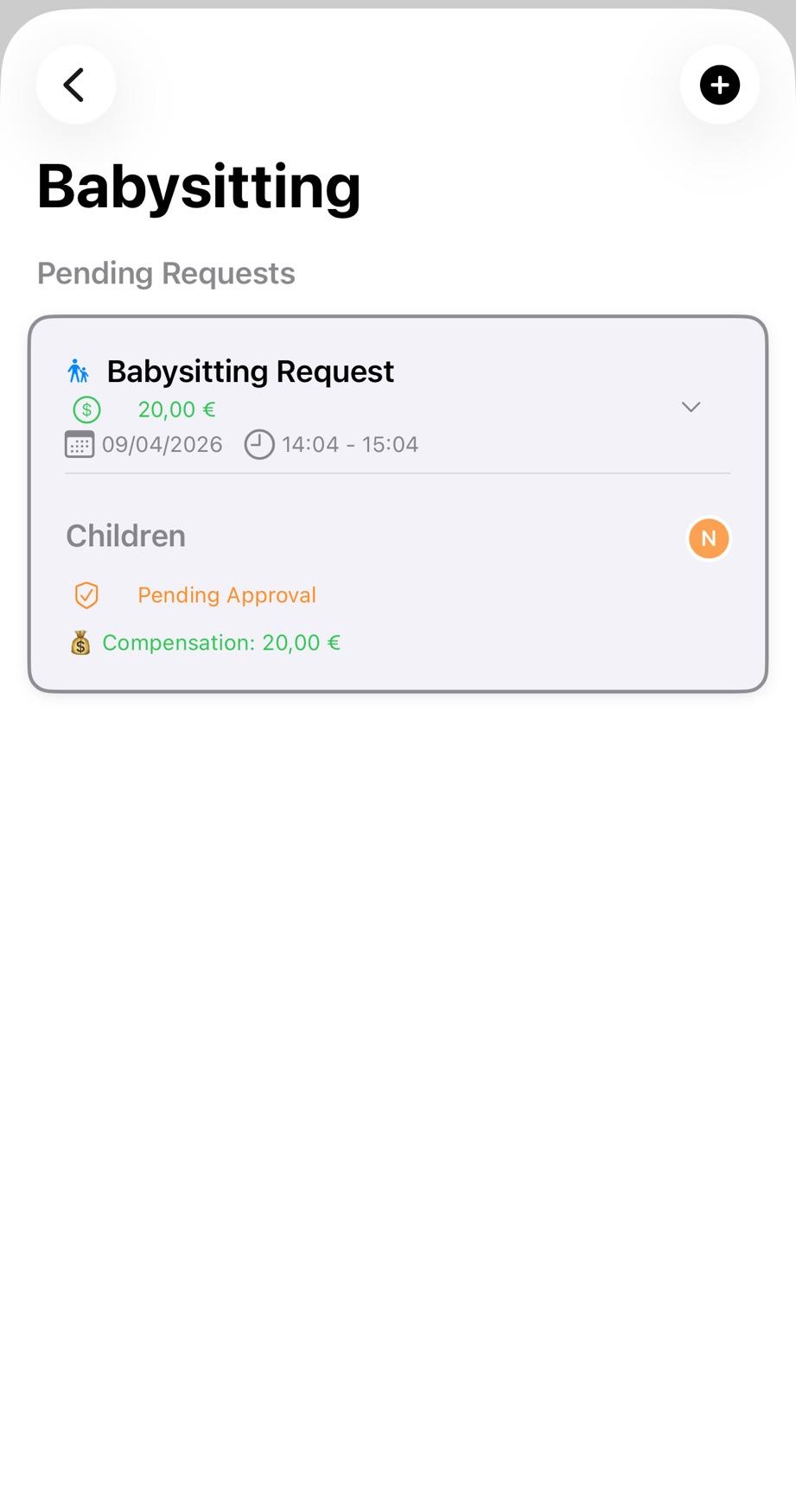
Every babysitting request in one place
Part 2: Emergency Medical Information Access
The Emergency Scenario
The situation: Child feels sick during parents' evening out
The old problem: Frantic calls trying to remember allergies, find doctor's number, explain medication dosages over the phone
The Old Way: Searching Through Messages
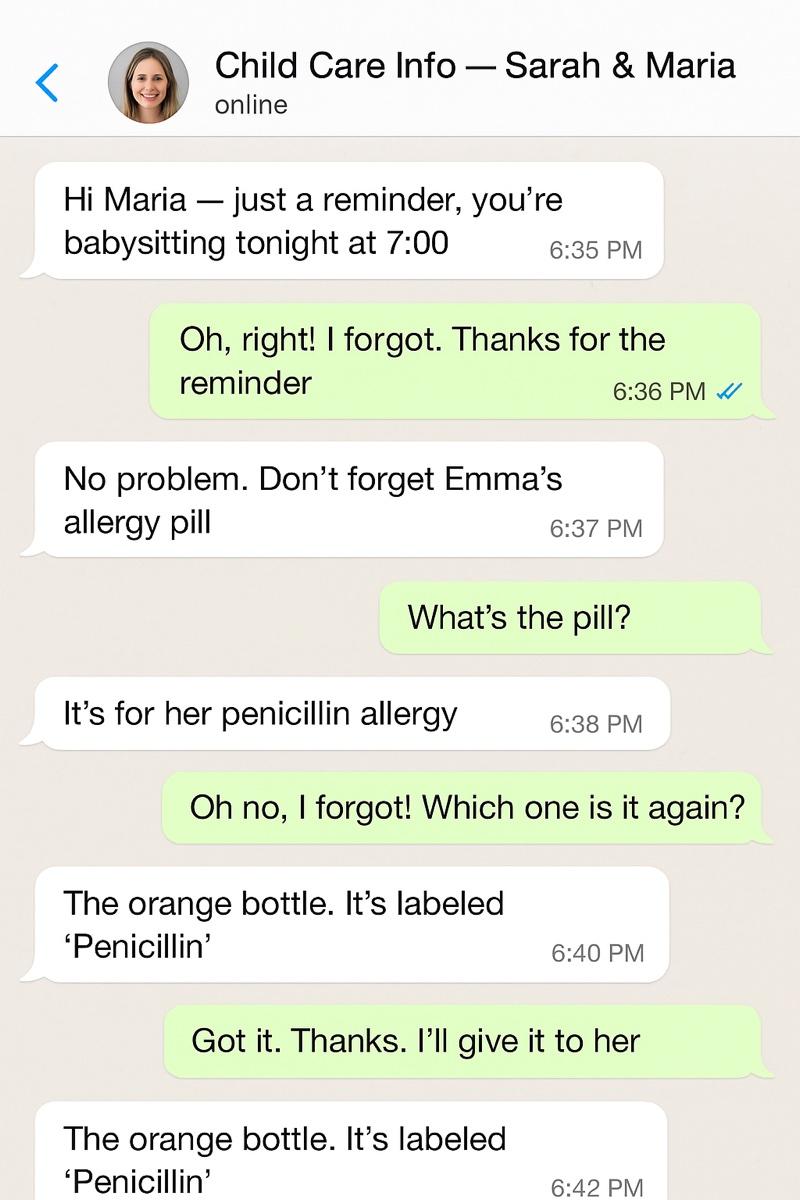
Back-and-forth about medications: Which pill? Which bottle? Is it the orange one? Critical medical information scattered in chat messages
The AuPairSync Way: Information at Their Fingertips
Open Child Profile from Task
Au pair opens the child's profile directly from the babysitting task - no searching needed
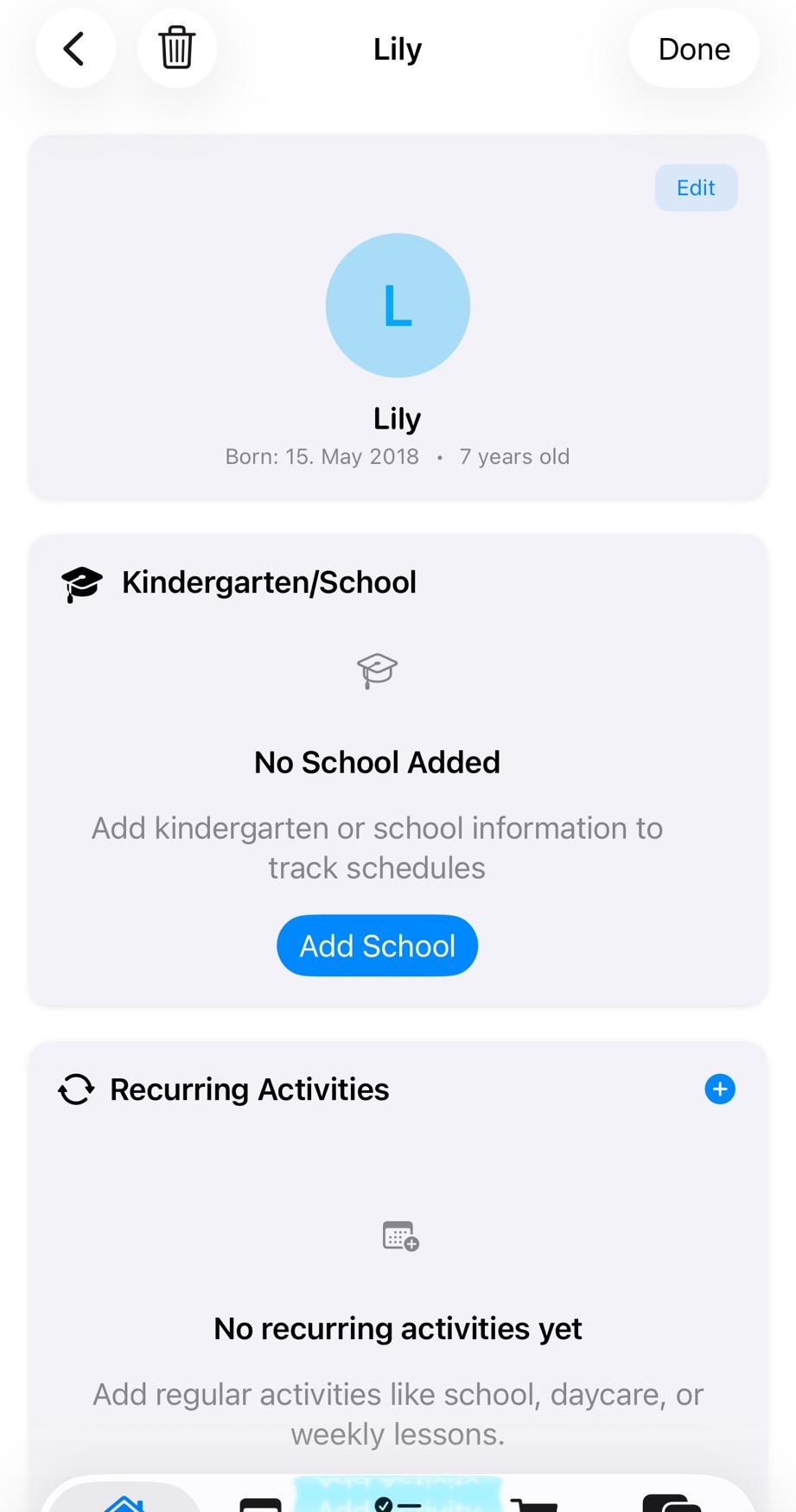
Instant access to child information from active task
View Medical Information Tab
Complete medical information: allergies (peanuts, penicillin), current medications, dosage instructions, all in one place
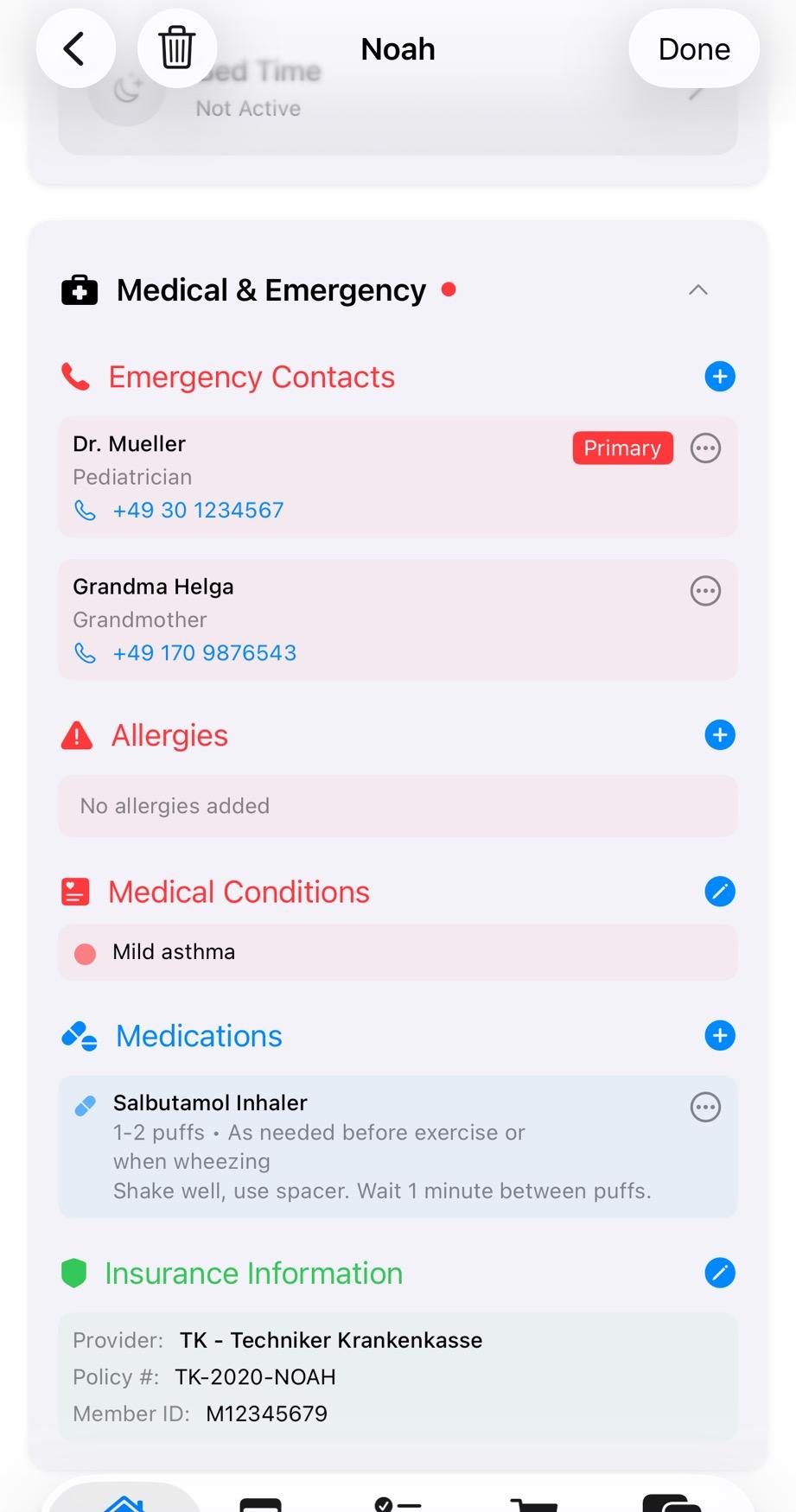
All critical medical details organized and accessible
Access Emergency Contacts
Emergency contacts including pediatrician, local hospital, and parents' phone numbers - one tap to call
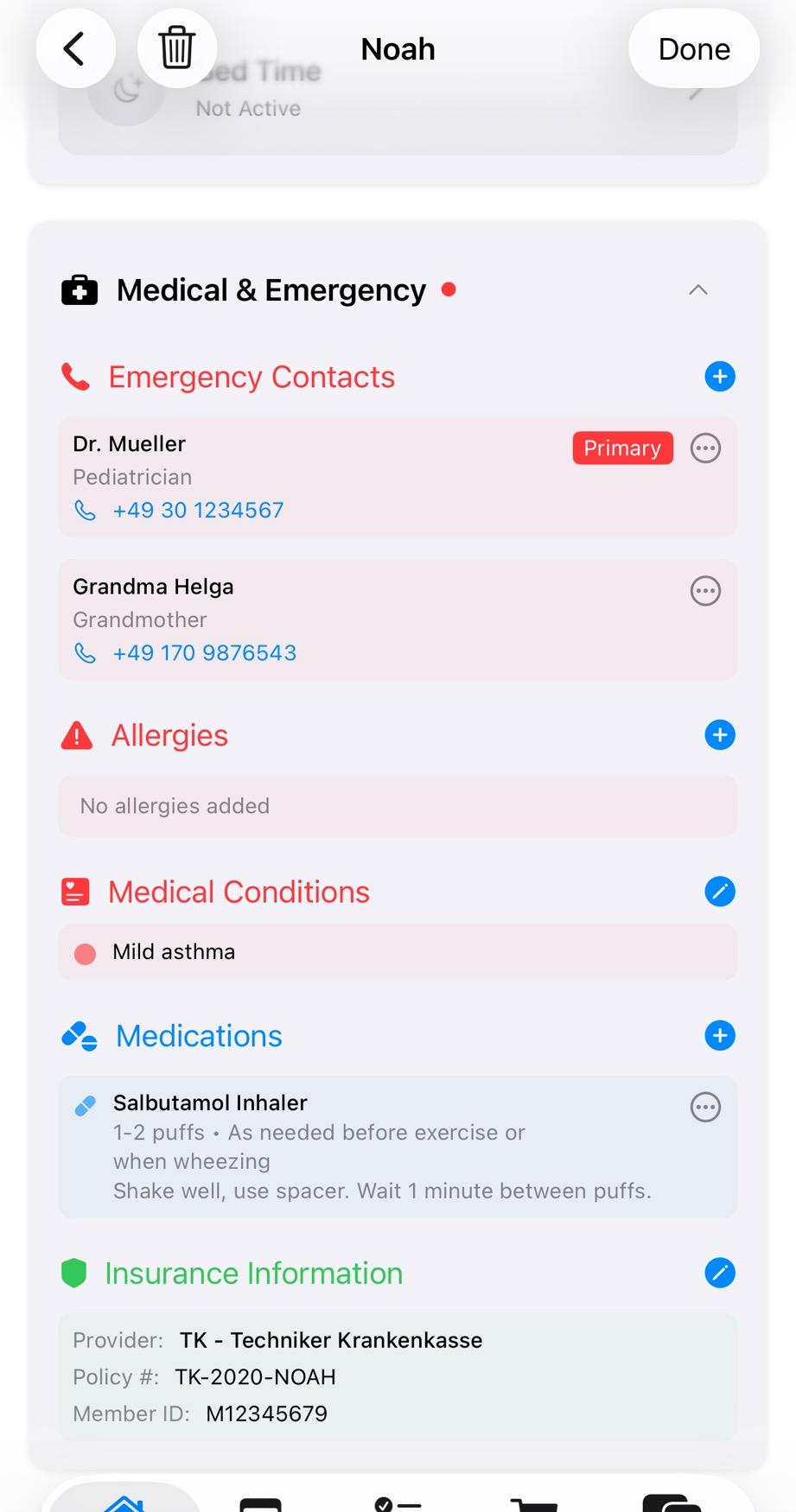
Emergency contacts ready for immediate use
Message with Medical Context
Can message parents with full medical context visible in app - no need to explain everything over the phone
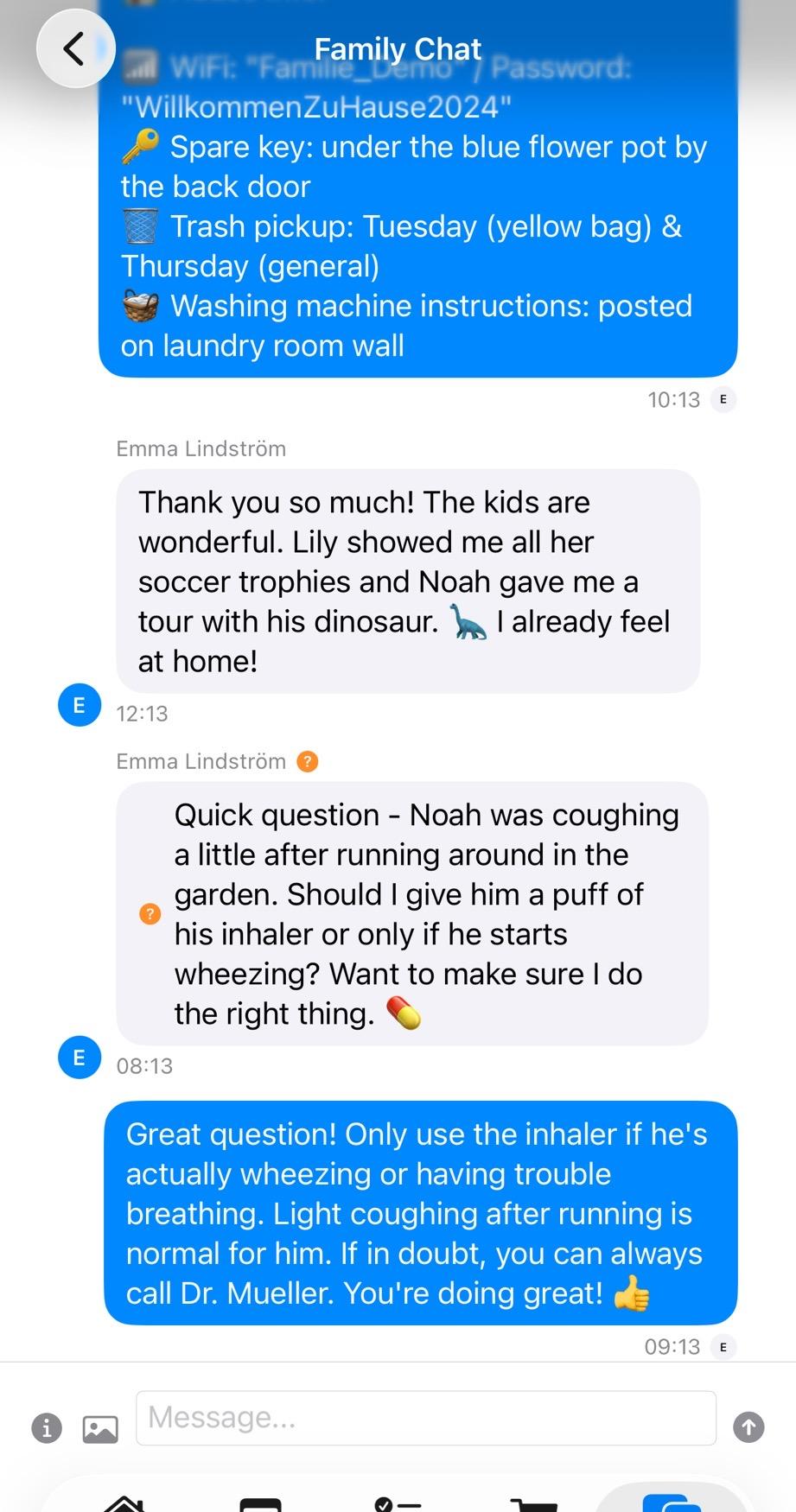
Communicate with medical context readily available
Your Child's Medical Information is Secure
Encrypted and securely stored
- Only invited family members and your au pair can access
- Data never shared with third parties
- Industry-standard encrypted storage
Related Features & Resources
Why families trust AuPairSync
- We comply with the GDPR.
- We do not sell, rent or share personal data for third-party marketing, and we do not use Google Analytics for advertising.
- Family data is stored with Firebase (Google Cloud). Transfers to the US rely on the EU-US Data Privacy Framework (Google Cloud), Standard Contractual Clauses and data processing agreements with our vendors.
- Data travels encrypted (HTTPS/TLS), access is restricted with Firebase Security Rules, and you can sign in with Apple or Google.
- You can delete your account yourself in the app, or ask us by email; we process requests within 30 days.
- Available on iPhone (App Store) and Android (Google Play).
- The app comes in 7 languages: English, German, Spanish, French, Dutch, Portuguese (Brazil) and Chinese (Simplified).
- Free for 30 days, then €4.99 a month for the whole family Au pairs never pay: the host family's subscription covers them.