Life Before and After AuPairSync
Four everyday situations in an au pair household, before and after they move into one shared app.
Task Management
Before AuPairSync
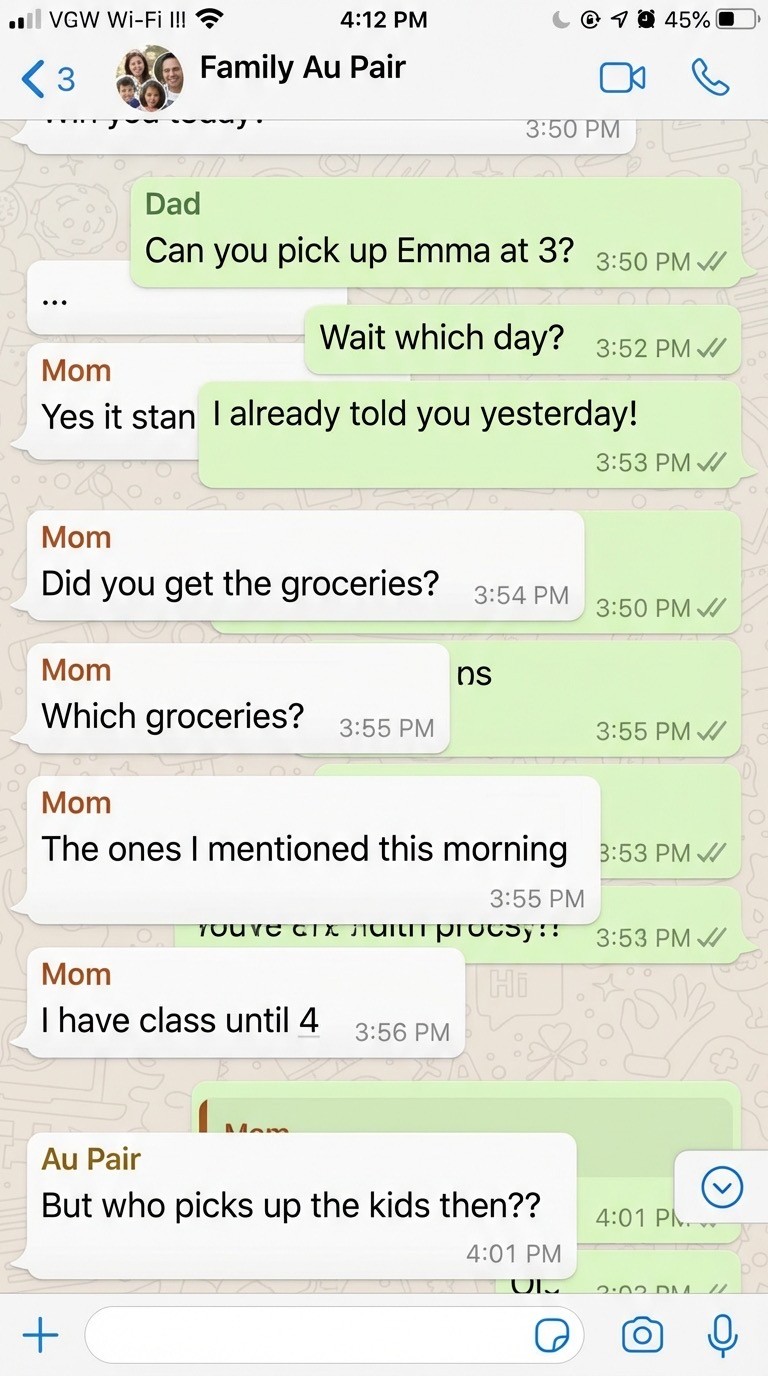
- Tasks lost in chat history
- Verbal instructions forgotten
- No way to track completion
With AuPairSync
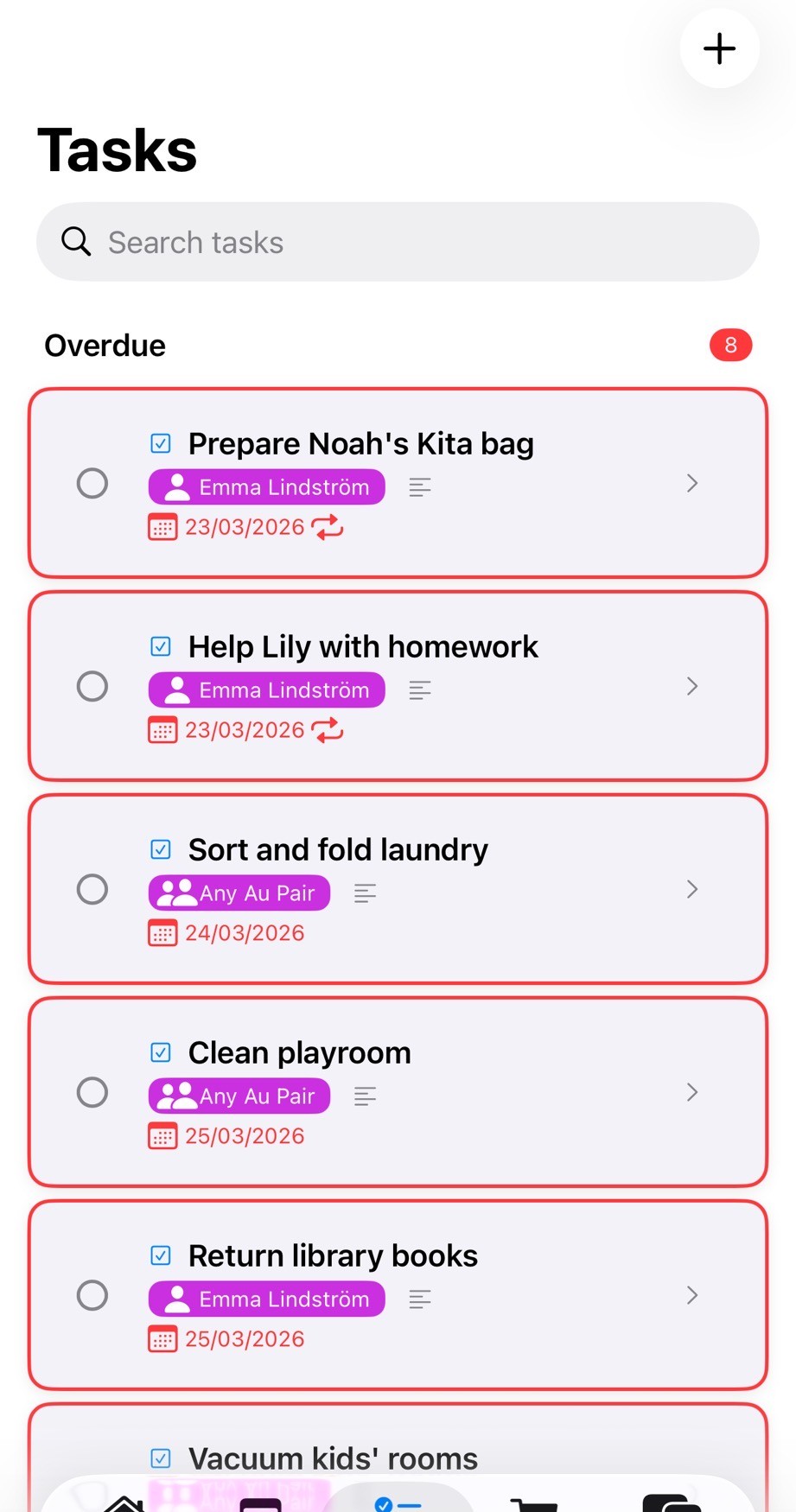
- Categorized tasks with photos
- Clear priorities and due dates
- Automatic completion tracking
Calendar Coordination
Before AuPairSync

- Multiple calendars out of sync
- Missed pickups and appointments
- Au pair doesn't know the schedule
With AuPairSync
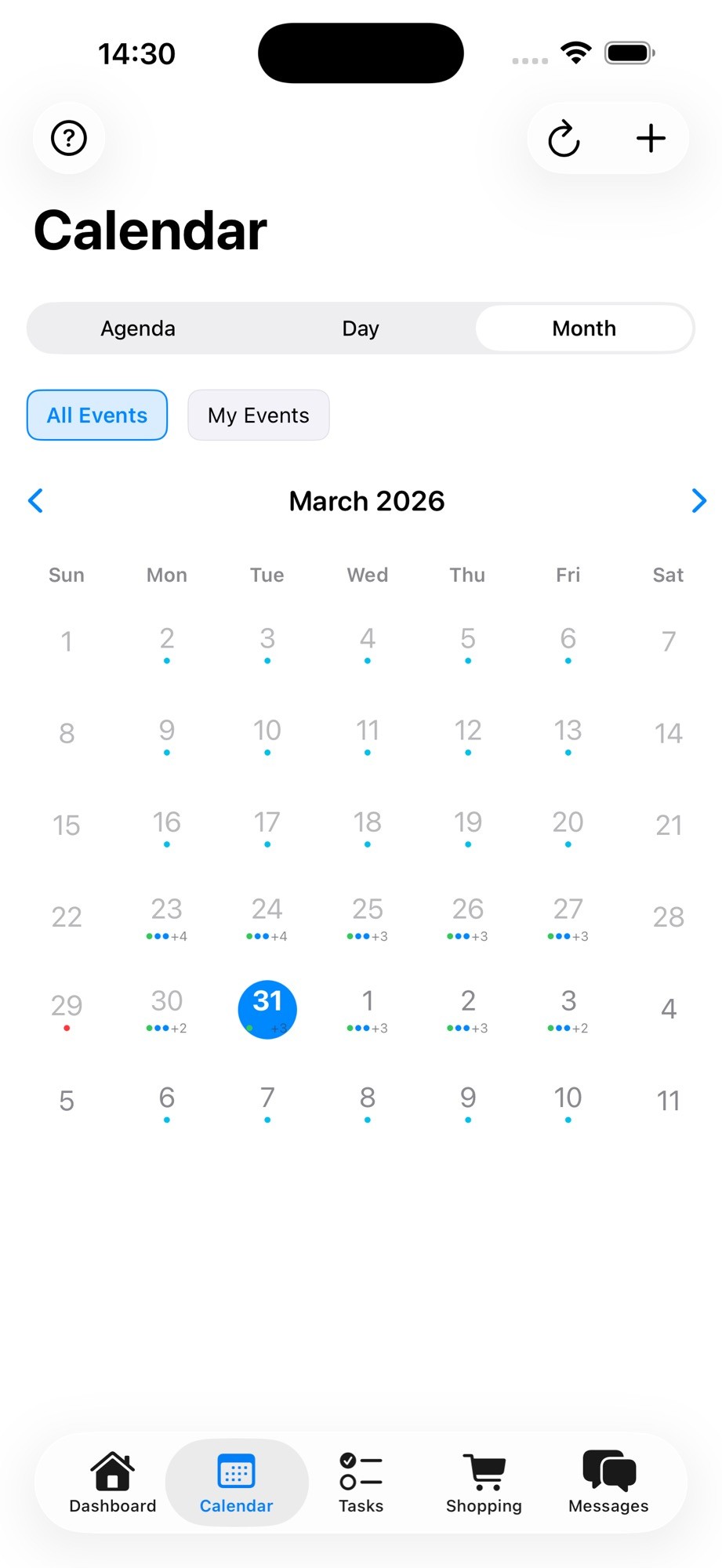
- Single source of truth
- Filter by family member
- Everyone sees same schedule
Shopping & Expenses
Before AuPairSync

- Lost receipts
- Unclear what was spent
- Reimbursement arguments
With AuPairSync
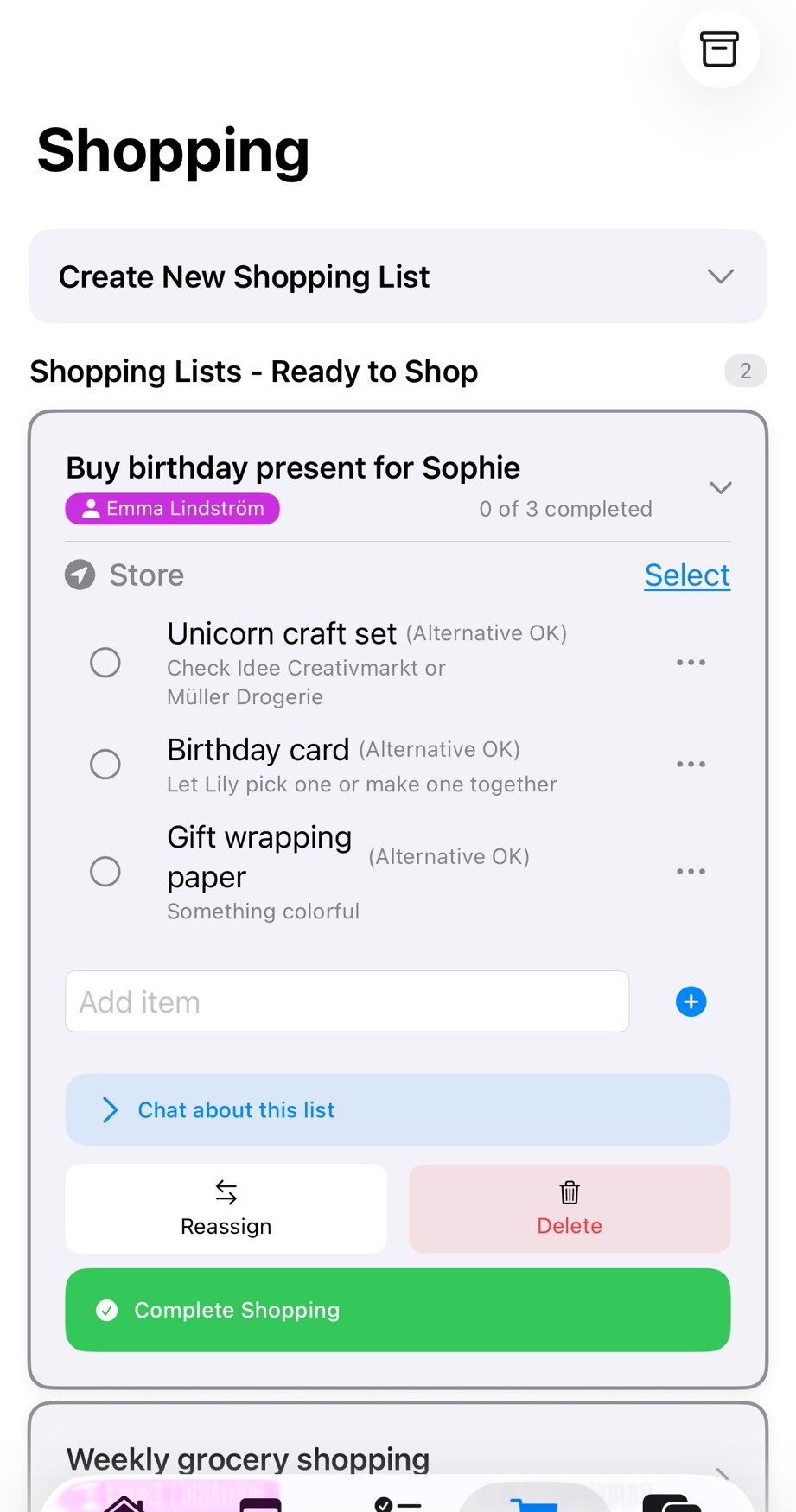
- Digital receipt storage
- Expense tracking built-in
- One-click reimbursement
Communication
Before AuPairSync

- Work mixed with personal texts
- Important info lost in conversation
- Searching endlessly for old messages
With AuPairSync
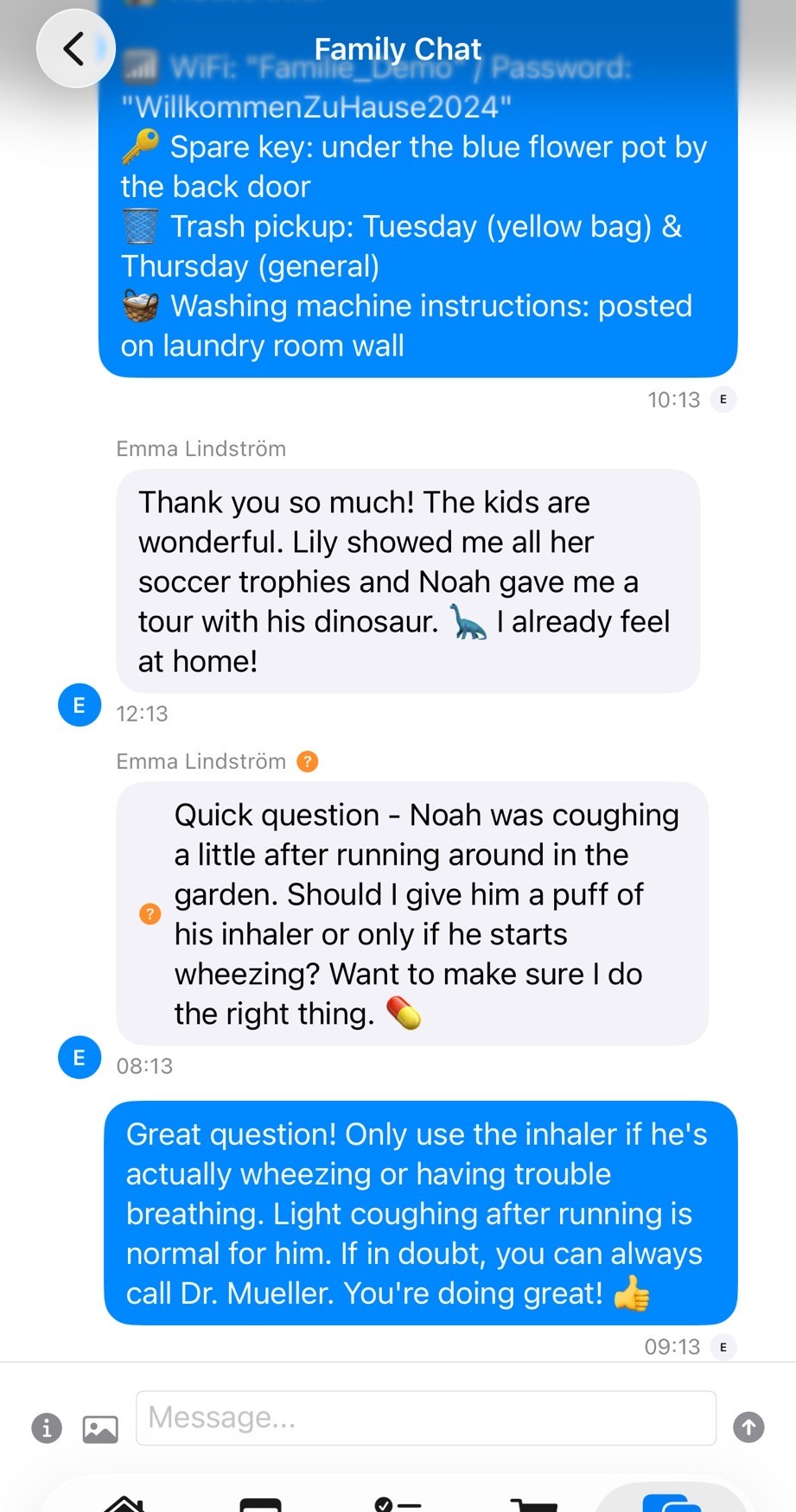
- Dedicated family communication
- Automatic task/shopping context
- Searchable message history
Why the “before” happens
Nobody plans the chaos. A new au pair arrives, the family already runs on a group chat and one parent’s calendar, and every new piece of information goes wherever it is quickest to type. Within a few weeks the pickup times are in one app, the allergy note in another and the shopping list on the fridge.
The au pair is new to the house, often to the language, and has to find all of it. The parents have to remember where they said what. The four scenarios above are the places where that shows first.
Moving over, one part at a time
You do not have to switch everything in one evening. Most of the value comes from moving the parts that change every week:
- Start with the calendar: school hours, activities and appointments for each child, so everyone sees the same week. Shared calendar →
- Then the recurring tasks, with a photo or a note where the instructions are not obvious. Tasks →
- Next the shopping list, with receipts attached, so spending is clear without a conversation about it. Shopping and expenses →
- Last, move the questions about a task or an item into the app, next to the thing they are about. Messages →
An app does not replace talking to each other. It keeps the facts in one place, so the conversations can be about how the week went. If you are still deciding between tools, the comparisons show where each one fits. App comparisons for au pair families →
If your au pair has not arrived yet, start earlier: the free templates cover the family handbook, the agreement and the first weekly schedule, and the first-week guide walks through the days after arrival. Free au pair templates → The first week with your au pair →
Transform Your Family Coordination
Tasks, calendar, shopping and messages for the whole household in one app.
Why families trust AuPairSync
- We comply with the GDPR.
- We do not sell, rent or share personal data for third-party marketing, and we do not use Google Analytics for advertising.
- Family data is stored with Firebase (Google Cloud). Transfers to the US rely on the EU-US Data Privacy Framework (Google Cloud), Standard Contractual Clauses and data processing agreements with our vendors.
- Data travels encrypted (HTTPS/TLS), access is restricted with Firebase Security Rules, and you can sign in with Apple or Google.
- You can delete your account yourself in the app, or ask us by email; we process requests within 30 days.
- Available on iPhone (App Store) and Android (Google Play).
- The app comes in 7 languages: English, German, Spanish, French, Dutch, Portuguese (Brazil) and Chinese (Simplified).
- Free for 30 days, then €4.99 a month for the whole family Au pairs never pay: the host family's subscription covers them.