How a Host Family Manages Weekly Grocery Shopping with Their Au Pair
The Scenario
Family: Julia & Marc Weber with 2 children (ages 4 and 7), and their au pair Camila from Brazil
The Challenge:
Camila does the weekly grocery run, but forgotten items, lost receipts, and awkward reimbursement conversations are causing friction
The Problem: Receipts in Pockets, Lists on Paper
Before AuPairSync
- ✗Shopping lists sent via WhatsApp get buried under other messages
- ✗Camila forgets items because the list changed after she left the house
- ✗Crumpled receipts pile up on the kitchen counter — some get lost before reimbursement
- ✗Neither side wants to bring up money, so reimbursements are delayed or forgotten
The Solution: Shared Lists, Clear Expenses
AuPairSync replaces scattered messages and paper receipts with shared shopping lists that sync in real time, and a transparent expense workflow that removes the awkwardness from reimbursements.
How It Works in 5 Steps
Create a Shared Shopping List
Julia opens AuPairSync and creates a shopping list for the week:
- Name the list (e.g. "Weekly groceries" or "Aldi run")
- Add items with quantities — milk (2L), bananas (6), nappies (1 pack)
- Group items by store so Camila knows where to go
- Use frequent items to add regulars with one tap
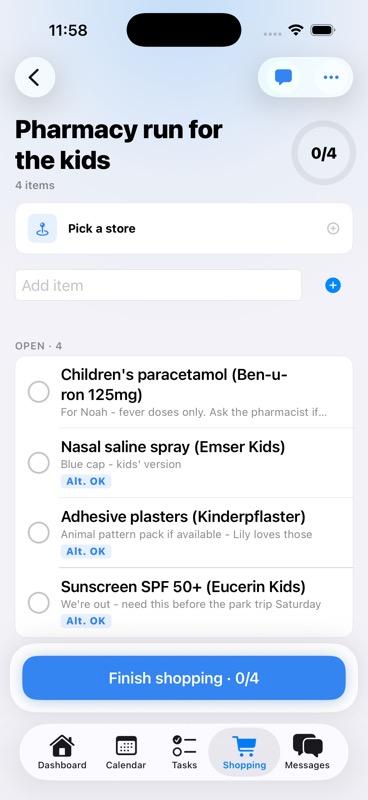
A shared shopping list with items organised by category
Assign the List to Your Au Pair
Julia assigns the list to Camila with a single tap:
- Select Camila as the shopper for this list
- Camila gets an instant push notification with the full list
- Any last-minute additions sync immediately — even if Camila is already at the store
Assigning a shopping list and the au pair receiving a notification
Shop and Check Off Items
At the store, Camila uses her phone to work through the list:
- Tap items to mark them as bought — Julia sees progress in real time
- Leave a note if something is out of stock or substituted
- Mark the list as complete when done
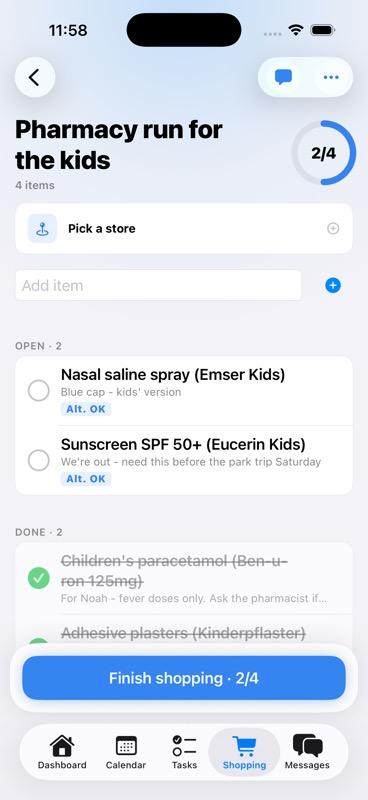
Camila checking off items while shopping
Snap the Receipt and Submit an Expense
Back home, Camila submits the expense in under 30 seconds:
- Take a photo of the receipt directly in the app
- Enter the total amount spent
- Submit the expense claim — Julia gets notified instantly
Receipt photo upload and expense submission screen
Review and Reimburse
Julia reviews the expense at her convenience:
- See the receipt photo, amount, and which shopping list it belongs to
- Mark as reimbursed after transferring the money
- Full expense history is kept — no more guessing who owes what
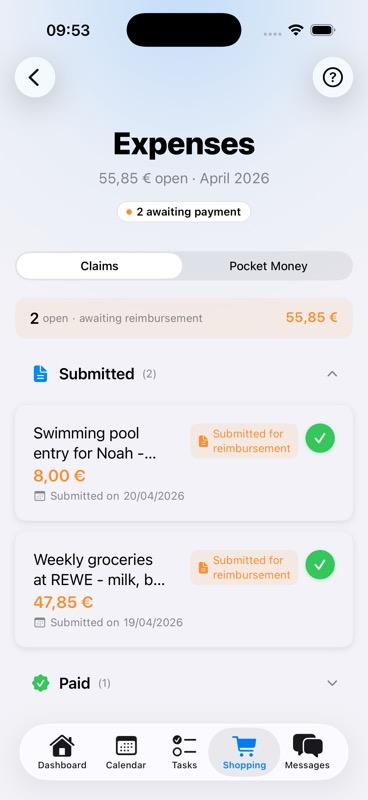
Parent reviewing the expense claim and marking it as reimbursed
A Routine That Runs Itself
After the first week, the Webers have a rhythm: Julia creates the list on Sunday evening, Camila shops on Monday, submits the receipt, and gets reimbursed by Tuesday. No reminders needed, no awkward conversations.
Pro Tip: Frequent Items
Save your regular items so next week's list takes 30 seconds to create instead of 10 minutes.
Learn More About These Features
Shopping & Expenses
Shared shopping lists, receipt photos, and transparent expense tracking in one place
Explore Shopping Feature →Task Management
Assign and track daily responsibilities with photos and completion tracking
Explore Tasks Feature →